Every talk, one page.

Record the talk. Snap the slides. Conference Note writes a report that reads as one page, with each slide placed where it supports the argument.

Now in beta on TestFlightJoin the beta

Email support@nduwork.com with your Apple ID email and we'll send a TestFlight invite.

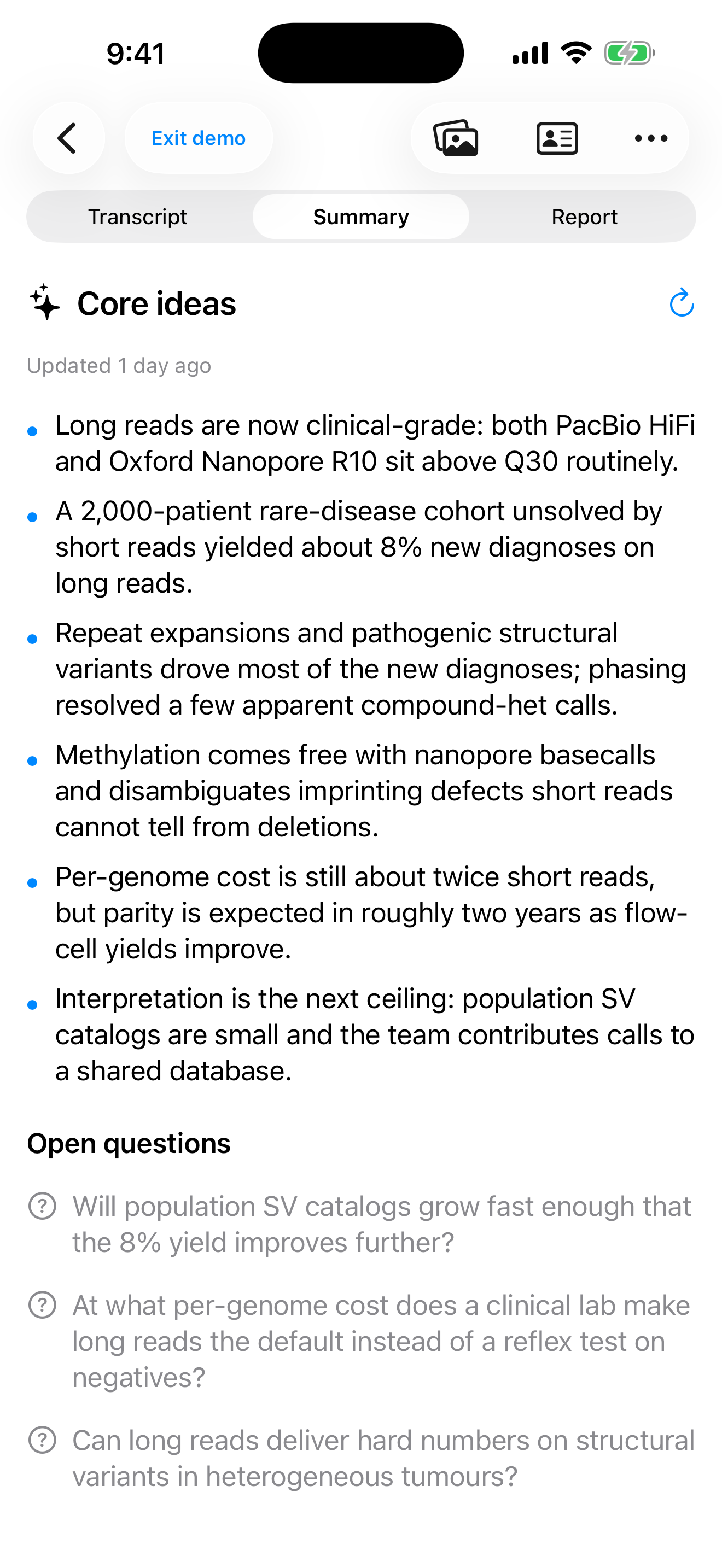
assets/shots/01-report.pngA Conference Note report with slides as figures

Three steps. Nothing to organise.

Keep your head up in the room; the app does the paperwork.

1

Record

Live transcription runs on your iPhone, with the screen off or while you take a photo. Audio is never saved.

2

Capture

Photograph slides in the app, scan them, or import a deck. Text on slides fixes names and jargon in the notes.

3

Report

One tap writes a TL;DR and sections, with slides as figures. Export a PDF, a web page, or both.

A report, not a transcript dump.

Slides are matched to the moment you took them, then placed beside the claim they support. The PDF, the web page and the in-app reading are the same document, so they never disagree.

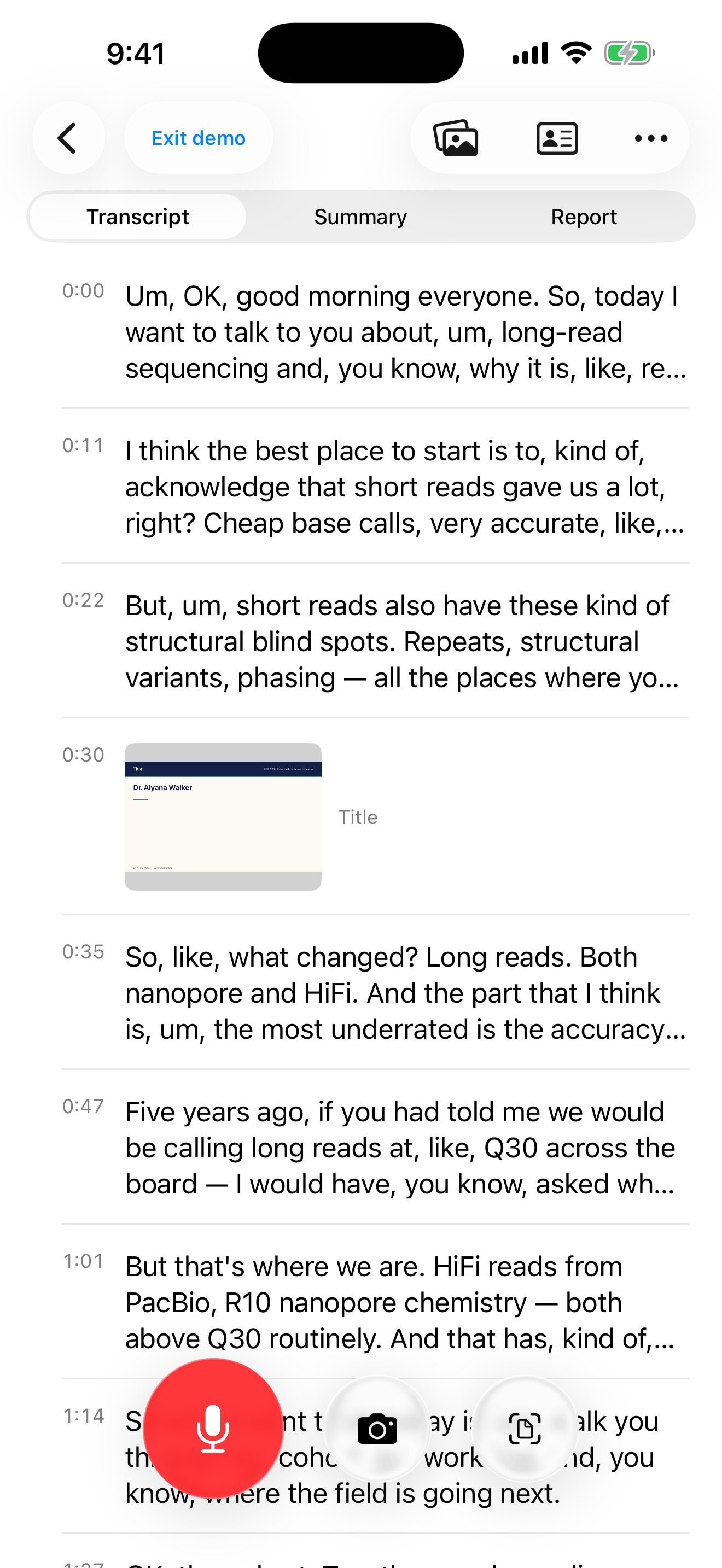
assets/shots/02-summary.pngRolling summary of a talk

Built for the room you're in.

Everything that happens during the talk is free and local.

Rolling summary

The core ideas, updated as the talk goes on. Written when you ask, never on its own.

Smart slide capture

Slides are detected and straightened for you. Crop, brighten, or drag the corners if you like.

Talks that name themselves

Speaker, affiliation and event are read from the title slide. Anything you type stays yours.

Export anywhere

A paginated PDF, or one self-contained interactive page with a TL;DR on top.

Colour marks & sorting

Mark talks with a colour, sort by date or title, rename from the list.

Works offline-first

Transcription and slide OCR are on-device. Apple's on-device model is the fallback.
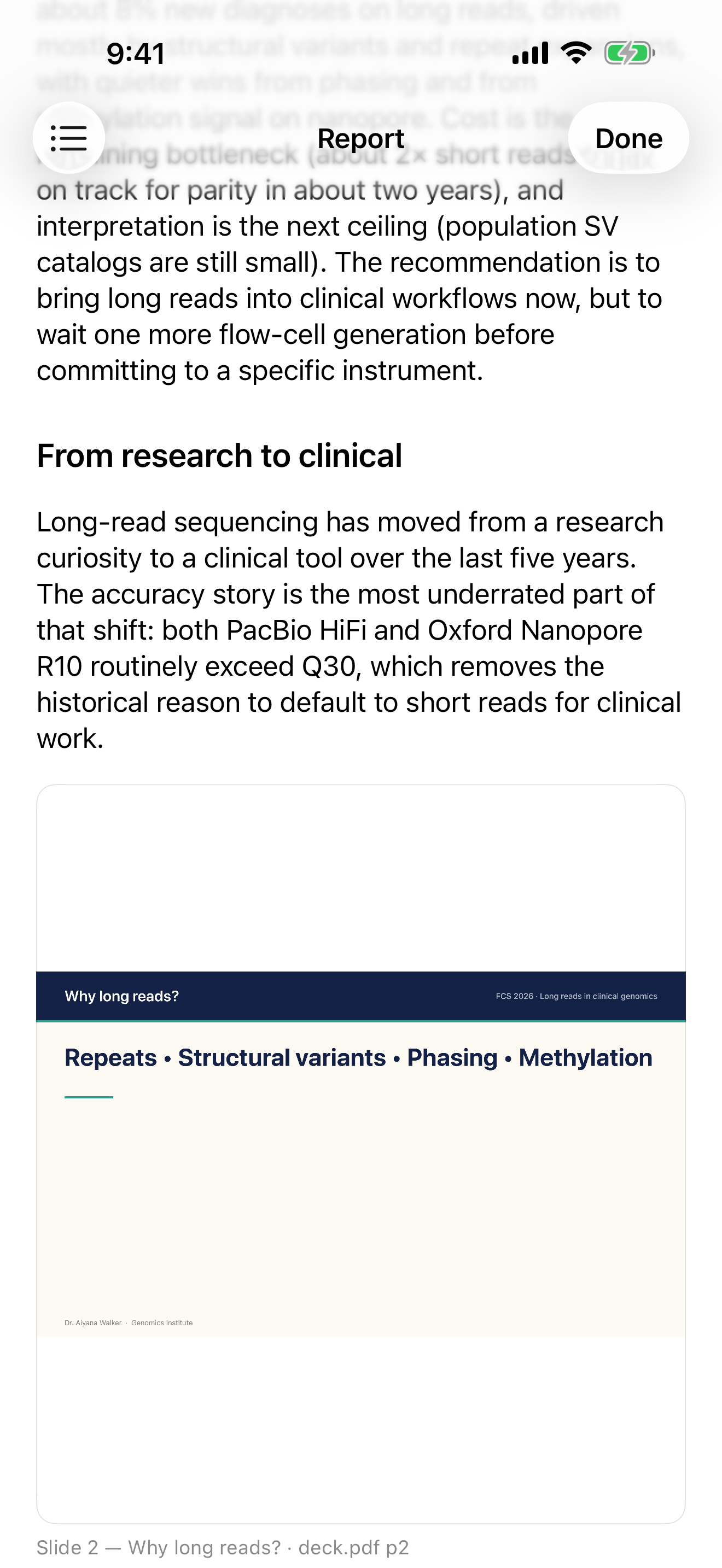
assets/shots/03-privacy.png

Your audio stays on your iPhone.

Speech is transcribed on-device and the audio is never saved or uploaded. Text is sent for notes or a report only when you press the button. No ads, no analytics SDK, no tracking.

Read the privacy policy →

Questions

Does it record audio?

It listens to transcribe, live, on your iPhone. The audio is not saved and not uploaded.

What needs iOS 26?

On-device transcription uses Apple's SpeechAnalyzer, which ships with iOS 26.

Who sees my notes?

When you press for notes or a report, the text goes through Conference Note's credit service to OpenAI, which does not train on API data. The service keeps only a count of tokens used.

Can I record any talk?

You decide. Conference Note is a note-taking tool, and you are responsible for having permission to record and capture each talk and for respecting the rules of the event. See the Terms of Use.

Can I use it without signing in?

A guided demo with sample data runs before sign-in. Real use needs Sign in with Apple, which ties your credits to you.